
Bundle up for great savings and less hassle
Let us introduce you to our money-saving, no-wasting-your-time cross-border banking bundles.
Shop away bundle
With a U.S. credit card and bank account, this cross-border banking bundle is perfect for savvy Canadian cross-border shoppers who:
- Spend over $1,600 in the U.S. annually
- Use their card to shop for and return items in U.S. dollars
- Need easy, no-fee1 access to cash at U.S. ATMs
Are you an RBC Royal Bank client in Canada?
You’re in luck — now is a great time to switch to RBC!
Great! Here's what you’ll get with this Shop Away cross-border banking bundle:
$0 for the first year3
Take 5 minutes and apply online for everything you need to bank in the U.S.!
Apply For This Bundle NowOr
Apply At Your BranchPay no monthly fee for cross-border banking for a year14
Here’s what you’ll get with this Shop Away bundle:
(You’ll need a Canadian RBC account to enjoy cross-border banking)
$0 for the first year14
Switch to RBC and get no monthly fee banking in Canada and the U.S. for 1 year!
Send This Offer To Your EmailStay and play bundle
With a U.S. credit card and bank account, this cross-border banking bundle is perfect for Canadian travellers and snowbirds who:
- Stay in the U.S. at least one month of the year
- Need easy, no-fee1 access to cash at U.S. ATMs
- Pay bills in U.S. dollars and want to earn a great rate on their U.S. dollars
Are you an RBC Royal Bank client in Canada?
You’re in luck — now is a great time to switch to RBC!
Great! Here's what you’ll get with this Stay and Play cross-border banking bundle:
Convenient, low-fee U.S. bank account
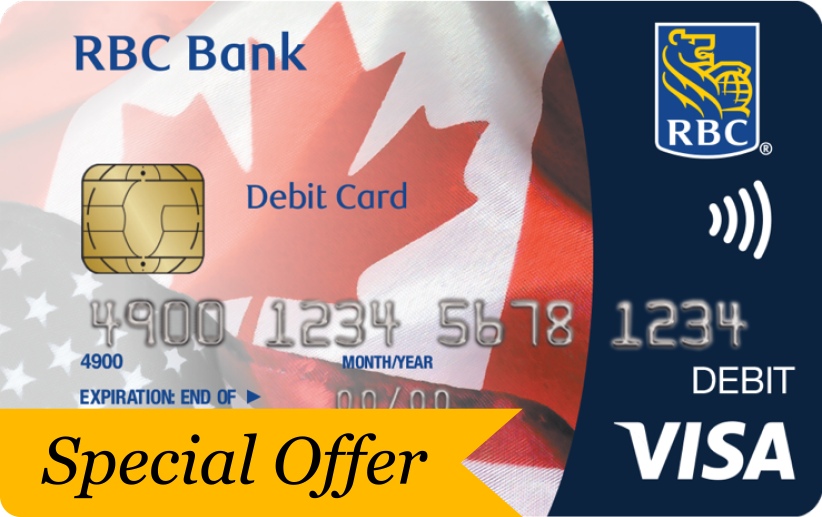
Direct Checking
- 10 debits per month; $1 per additional debit2
- Use your Visa Debit card to shop or get cash at over 50,000 ATMs across the U.S.
- Open an account using your Canadian address
Premium U.S. bank account with unlimited transactions
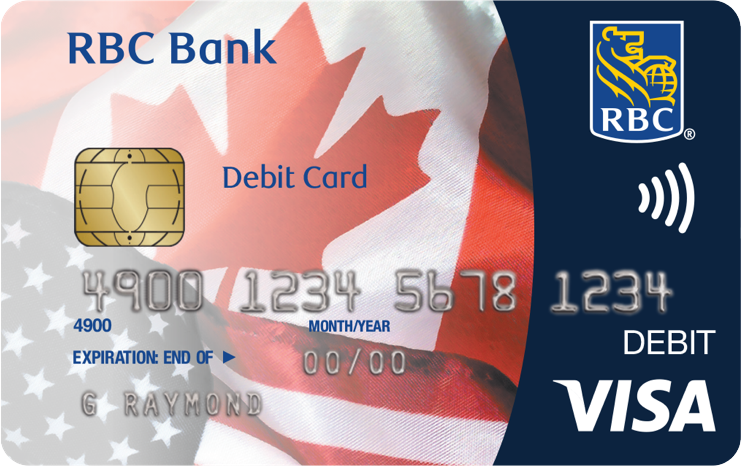
Premium Checking
- Unlimited transactions
- Preferred foreign exchange rates
- Open an account using your Canadian address
Annual fee with eStatements: $99.50 USD
No annual fee4 U.S. credit card with rewards
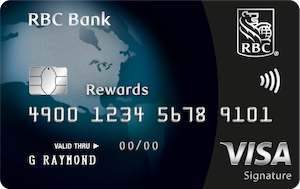
Visa Signature Black
- Make transactions in U.S. dollars and save on foreign transaction fees
- Earn 1 Avion point for every $1 spent5
- Apply using your Canadian credit history
Annual fee: $04
Additional card: $0
Purchase rate: Low introductory APR
U.S. credit card with accelerated rewards
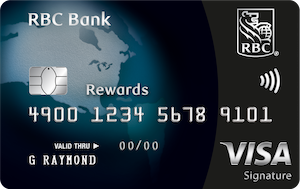
Visa Signature Black Plus
- Make transactions in U.S. dollars and save on foreign transaction fees
- Earn 1.5 Avion points per $1 spent5
- Apply using your Canadian credit history
Annual fee: $75 USD
Additional card: $0
Purchase rate: Low introductory
APR
A great rate on your U.S. dollars

U.S. Preferred Money Market Savings10
- Earn our best interest rates on your U.S. dollars
- Save for an extended trip or a down payment on a vacation home
$0 for the first year3
Take 5 minutes and apply online for everything you need to bank in the U.S.!
Apply For This Bundle NowOr
Apply At Your Branch$99.50 USD annually
Take 5 minutes and apply online for everything you need to bank in the U.S.!
Apply For This Bundle NowOr
Apply at Your Branch$174.50 USD annually
Take 5 minutes and apply online for everything you need to bank in the U.S.!
Apply For This Bundle NowOr
Apply At Your Branch$114.50 USD annually
Take 5 minutes and apply online for everything you need to bank in the U.S.!
Apply For This Bundle NowOr
Apply At Your BranchPay no monthly fee for cross-border banking for a year14
Here’s what you’ll get with this Stay and Play bundle:
(You’ll need a Canadian RBC account to enjoy cross-border banking)
Convenient, low-fee U.S. bank account
Direct Checking
- 10 debits per month; $1 per additional debit2
- Use your Visa Debit card to shop or get cash at over 50,000 ATMs across the U.S.
- Open an account using your Canadian address
Premium U.S. bank account with unlimited transactions

Premium Checking
- Unlimited transactions
- Preferred foreign exchange rates
- Open an account using your Canadian address
Annual Fee with eStatements: $99.50 USD
No annual fee4 U.S. credit card with rewards
Visa Signature Black
- Make transactions in U.S. dollars and save on foreign transaction fees
- Earn 1 Avion point for every $1 spent5
- Apply using your Canadian credit history
Annual fee: $04
Additional card: $0
Purchase rate: Low introductory APR
U.S. credit card with accelerated rewards
Visa Signature Black Plus
- Make transactions in U.S. dollars and save on foreign transaction fees
- Earn 1.5 Avion points per $1 spent5
- Apply using your Canadian credit history
Annual Fee: $75 USD
Additional Card: $0
Purchase Rate: Low Introductory APR
A great rate on your U.S. dollars
U.S. Preferred Money Market Savings10
- Earn our best interest rates on your U.S. dollars
- Save for an extended trip or a down payment on a vacation home
Monthly fee: $0
$0 for the first year13
Switch to RBC and get no monthly fee banking in Canada and the U.S. for 1 year! Go to any RBC branch in Canada to get everything you need to bank in the U.S.!
Visit A Branch To Sign Up$48 CAD + $99.95 USD for the first year
Go to any RBC branch in Canada to get everything you need to bank in the U.S.!
Visit a Branch to Sign Up$48 CAD + $174.95 USD for the first year
Go to any RBC branch in Canada to get everything you need to bank in the U.S.!
Visit a Branch to Sign Up$48 CAD + $114.50 USD for the first year
Go to any RBC branch in Canada to get everything you need to bank in the U.S.!
Visit a Branch to Sign UpMove and stay bundle
With the option to add a U.S. mortgage when you’re ready, this bundle is perfect for Canadian snowbirds or expats in the U.S. who:
- Spend three or more months a year in the U.S.
- Pay bills in U.S. dollars and want our best foreign exchange rates
- Need no-fee1 access to cash at U.S. ATMs and make multiple debit transactions while in the U.S.
Are you an RBC Royal Bank client in Canada?
You’re in luck — now is a great time to switch to RBC!
Great! Here's what you’ll get with this Move and Stay cross-border banking bundle:
Premium U.S. bank account with unlimited transactions
Premium Checking
- Unlimited transactions
- Preferred foreign exchange rates
- Open an account using your Canadian address
Annual fee with eStatements: $99.50 USD
No annual fee4 U.S. credit card with rewards
Visa Signature Black
- Make transactions in U.S. dollars and save on foreign transaction fees
- Earn 1 Avion point for every $1 spent5
- Apply using your Canadian credit history
Annual fee: $04
Additional card: $0
Purchase rate: Low introductory APR
U.S. credit card with accelerated rewards
Visa Signature Black Plus
- Make transactions in U.S. dollars and save on foreign transaction fees
- Earn 1.5 Avion points per $1 spent5
- Apply using your Canadian credit history
Annual fee: $75 USD
Additional card: $0
Purchase rate: Low introductory
APR
A great rate on your U.S. dollars
U.S. Preferred Money Market Savings10
- Earn our best interest rates on your U.S. dollars
- Save for an extended trip or a down payment on a vacation home
$99.50 USD annually
Take 5 minutes and apply online for everything you need to bank in the U.S.!
Apply For This Bundle NowOr
$174.50 USD annually
Take 5 minutes and apply online for everything you need to bank in the U.S.!
Apply For This Bundle NowOr
Here’s what you’ll get with this Move and Stay bundle:
(You’ll need a Canadian RBC account to enjoy cross-border banking)
Canadian bank account with low fees
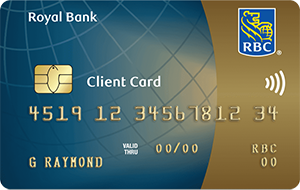
RBC Day to Day Banking
Premium U.S. bank account with unlimited transactions
Premium Checking
- Unlimited transactions
- Preferred foreign exchange rates
- Open an account using your Canadian address
A great rate on your U.S. dollars
U.S. Preferred Money Market Savings10
- Earn our best interest rates on your U.S. dollars
- Save for an extended trip or a down payment on a vacation home
$48 CAD + $99.50 USD annually
Go to any RBC branch in Canada to get everything you need to bank in the U.S.!
Visit A Branch To Sign Up$48 CAD + $174.95 USD for the first year
Go to any RBC branch in Canada to get everything you need to bank in the U.S.!
Visit A Branch To Sign UpWays RBC Cross-Border Banking will impress you
Sign in to online or mobile banking once to see all of your RBC accounts, including your U.S. bank account and credit card.
Move up to $25,000 — instantly and for free7 — between your RBC Canadian and U.S. bank accounts.
Use your U.S. debit card to get cash at over 50,000 no-fee1 ATMs across the U.S., including at Walgreens, CVS and Target.
Find a No-Fee U.S. ATMIf a U.S. credit card and bank account isn’t enough, enjoy perks and discounts from hotels, resorts and retailers across Canada and the U.S.

Buying property south of the border?8
Get pre-approved to buy in all 50 states using your Canadian credit history — just one way we make buying in the U.S. simple and painless.
- Choose a 3- ,5-, 7- or 10-year term with a 30-year amortization15
- Reduce the upfront impact of foreign exchange costs with just a 20% down payment plus closing costs
- Enjoy the convenience of no pre-payment restrictions. Make penalty free, lump sum payments any time
Special offer: Save up to $4,500 USD in closing costs9 on a U.S. mortgage. Apply by October 31, 2024.
We’re with you each step of the way
See how we’re helping Canadians buy in the U.S.
We built RBC U.S. HomePlusTM Advantage exclusively for Canadians to provide full-service support through every step of the U.S. home buying process.
As a Canadian buying a home in the U.S., you have some unique needs and probably lots of questions. Take the guesswork out of the equation and let us be your guide.
Things our lawyers want you to knowHide Legal Disclaimers
 Equal Housing Lender. Member FDIC.
RBC Bank is RBC Bank (Georgia), National Association (“RBC Bank”), a wholly owned U.S. banking subsidiary of Royal Bank of Canada. RBC Bank is a member of the U.S. Federal Deposit Insurance Corporation (“FDIC”). U.S. deposit accounts are insured by the FDIC up to the maximum amount permissible by law. U.S. deposit accounts are not insured by the Canada Deposit Insurance Corporation (“CDIC”). U.S. banking products and services are offered and provided by RBC Bank. Canadian banking products and services are offered and provided by Royal Bank of Canada. All deposit accounts, loans and lines of credit are approved by RBC Bank. RBC Bank - 8081 Arco Corporate Dr, Suite 400. Raleigh, NC 27617. www.rbcbank.com(opens new window)
All other trademarks are the property of their respective owners.
There is no fee associated with accessing these ATMs but standard account charges and transaction limitations will apply. If you access ATMs other than those identified in our ATM locator (www.rbcbank.com/atms) fees may apply. During the process, you will be notified of the fee and will be required to accept the fee if you desire to complete the transaction. For fee information, refer to the Personal Schedule of Fees for details.
- Typical origination fee of 0.50% to 1% of the loan amount
- Typical application fee of $950 USD
- Typical processing fee of $950 USD
- Typical commitment fee of $500 USD
- Typical underwriting fee of $500 USD
- Typical foreign national premium of 1% to 2% of the loan amount
There is a limit of 999 free Interac e-Transfer transactions per month per account; for every Interac e-Transfer transaction over the limit, you will be charged $1. Interac e-Transfer transactions expire 30 days after they are sent and cannot be claimed by the recipient after this time. You have 15 days after the Interac e-Transfer transaction is sent to cancel without charge. A $5 Interac e-Transfer Transaction Reclaim Fee is charged when a recipient does not accept it before it expires and the sender does not cancel the transaction before the 15-day cancellation period.
RBC Royal Bank received the highest score in the 2017-2018 Canadian Banking App Satisfaction Studies and among Big Five Retail Banks in the 2016-2018 Canadian Retail Banking Satisfaction Studies of customers’ satisfaction. Visit jdpower.com/awards
Offer period is November 1, 2021 through October 31, 2024 (“Offer Period”). Offer is available for clients who open a new RBC Day to Day Banking account. To qualify, clients must open an RBC Day to Day Banking account and be a new RBC Bank client, defined as an individual who has not been a primary or secondary account holder on any RBC Bank (U.S.) checking account for the 18 months prior to the start of the Offer Period (“Eligible Personal Client”). Eligible Personal Client must open a new RBC Bank personal checking account and have or apply for an RBC Bank credit card at the same time before the end of the Offer Period. Checking account and credit card application must have the same accountholder(s) on both accounts. For eligible clients, the RBC Day to Day Banking account monthly fee of $4 will be waived for the first twelve (12) months upon account opening of the RBC Day to Day Banking account, plus RBC Bank will waive the checking monthly or annual fee for 1 year from account open date (“Offer”). All other terms and conditions continue to apply, including funding requirements and other applicable fees. Fees on all other RBC Bank products continue to apply, including fees on the RBC Bank Visa Signature Black Plus credit card. Offer cannot be combined with any other RBC Bank offers. Employees of Royal Bank of Canada do not qualify for this offer. Offer is available only during the Offer Period. Offer can be changed or withdrawn at any time. Only one offer per Eligible Personal Client. For complete offer details, including defined terms, please visit http://www.rbcroyalbank.com/dms/cross-border-banking/_assets-custom/includes/terms-and-conditions.html (Opens in new window)
3-, 5-, 7-, or 10-year term refers to the period of time the interest rate is set at the beginning of the loan period which is 30 years (360 months); after the initial fixed rate term, the interest rate will adjust every six (6) months. Example: 3-Year Adjustable Rate Mortgage (ARM) calculation assumes a $250,000 loan amount, 5.625% interest rate, 6.506% APR, with 20% down payment, amortized over 360 months = $1,439.14 monthly payment. Example: 5-Year ARM calculation assumes a $250,000 loan amount, 5.750% interest rate, 6.399% APR, with 20% down payment, amortized over 360 months = $1,458.93 monthly payment. Example: 7-Year ARM calculation assumes a $250,000 loan amount, 5.875% interest rate, 6.345% APR, with 20% down payment, amortized over 360 months = $1,478.84 monthly payment. Example: 10-Year ARM calculation assumes a $250,000 loan amount, 6.000% interest rate, 6.220% APR, with 20% down payment, amortized over 360 months = $1,498.88 monthly payment. Rates and payments are subject to increase after initial fixed period of loan. If the down payment is less than 20%, mortgage insurance may be needed on the loan. This could increase the monthly payment and the interest rate. Rates subject to increase after consummation.
Premium U.S. bank account with unlimited transactions
Premium Checking
- Unlimited transactions
- Preferred foreign exchange rates
- Open an account using your Canadian address
Annual fee with eStatements: $99.50 USD
Convenient, low-fee U.S. bank account
Direct Checking
- 10 debits per month; $1 per additional debit
- Use your Visa Debit card to shop or get cash at over 50,000 ATMs across the U.S.
- Open an account using your Canadian address
No annual fee3 U.S. credit card with rewards
Visa Signature Black
- Make transactions in U.S. dollars and save on foreign transaction fees
- Earn 1 Avion point for every $1 spent4
- Apply using your Canadian credit history
Annual fee: $03
Additional card: $0
Purchase rate: Low introductory APR
U.S. credit card with accelerated rewards
Visa Signature Black Plus
- Make transactions in U.S. dollars and save on foreign transaction fees
- Earn 1.5 Avion points per $1 spent3
- Apply using your Canadian credit history
Annual fee: $75 USD
Additional card: $0
Purchase rate: Low introductory APR
No annual fee5 U.S. credit card6 with rewards
Visa Signature Black
- Make transactions in U.S. dollars and save on foreign transaction fees
- Earn 1 Avion point for every $1 spent7
- Apply using your Canadian credit history
Annual fee: $04
Additional card: $0
Purchase rate: Low introductory APR
U.S. credit card with accelerated rewards
Visa Signature Black Plus
- Make transactions in U.S. dollars and save on foreign transaction fees
- Earn 1.5 Avion points per $1 spent5
- Apply using your Canadian credit history
Annual fee: $75 USD
Additional card: $0
Purchase rate: Low introductory
APR
No annual fee5 U.S. credit card6 with rewards
Visa Signature Black
- Make transactions in U.S. dollars and save on foreign transaction fees
- Earn 1 Avion point for every $1 spent7
- Apply using your Canadian credit history
Annual Fee: $04
Additional Card: $0
Purchase Rate: Low Introductory APR
U.S. credit card with accelerated rewards
Visa Signature Black Plus
- Make transactions in U.S. dollars and save on foreign transaction fees
- Earn 1.5 Avion point for every $1 spent5
- Apply using your Canadian credit history
Annual Fee: $75 USD
Additional Card: $0
Purchase Rate: Low Introductory
APR