
Sending money to the US just got easier!
With RBC Launch, clients with a USD account can now send International Money Transfers to the US in just a few clicks. No need to provide sensitive account information using the new Cross-Border Transfers feature.

Why Use Cross-Border Transfers?

Safe and Secure
No need to share sensitive account information manually. Email money to friends and family in the US just like you do in Canada!

Easy and Convenient
Recipients register only once. All future transfers are deposited directly.

$0 Transfer Fees
Send money without any transfer fees for the sender.
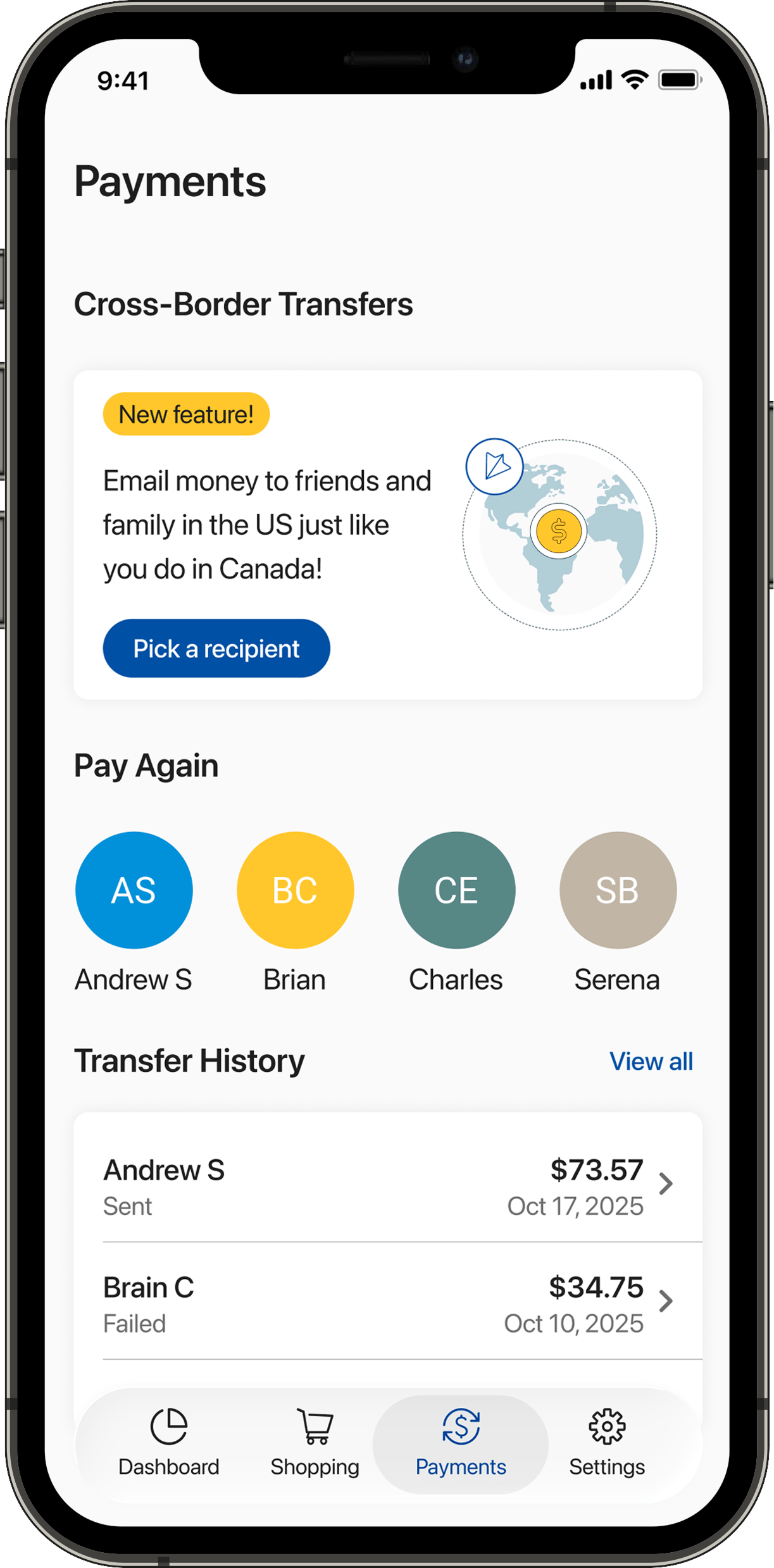


Download the RBC Launch app and Get Started

Frequently Asked Questions
Currently the Cross-Border Transfers are enabled for: RBC clients with a Canada-domiciled USD account and have the RBC Launch App installed (available to RBC clients on iOS App store).
Once the recipient completes their registration, the transfer may take up to 3-5 business days to reflect in their account depending on their financial institution and transaction processing times.
You may cancel the transfer if the recipient has not registered. Once the recipient registers, the transfer is initiated automatically and it cannot be cancelled. Please confirm all the details on the money transfer review screen before sending.
No, your recipient can receive the money into the US financial institution of their choice as part of the registration process. Over 1,500 financial institutions are supported for this service. If the desired financial institution is not on the list, you will need to send them money through traditional Online banking or Mobile banking processes.
For assistance with your payment online, call us at 1-800-769-2555. We’re here 24 hours a day, 7 days a week.
No, there are no fees applied by RBC as part of this money transfer service. The receiving bank may apply fees for the transfer.
You will receive both an email and a push notification on RBC Launch once your recipient has completed registration (please ensure you have push notifications enabled for your RBC Launch app in iOS settings).
No, recipients need to register only once. Subsequent transfers to registered recipients will be sent directly. Registered Recipients do not need to register again if they are sent money from another RBC sender.
If you receive a registration email from RBC Cross-Border Transfers, it is because an RBC client wants to send you money. To receive your funds, you will need to complete a one-time registration on the link that was sent to you via email. The link allows you to securely share the details of your U.S. banking institution where you wish to receive funds from the sender in Canada. RBC partners with MX Technologies to receive this information safely and securely from your financial institution directly once you agree to do so.
Only respond to registration requests you are expecting from your acquaintances. RBC has strict policies and procedures to ensure your data is safe. RBC will never ask for or store any of your log in credentials. You will only be asked to share the information required for a transfer by directly logging in to your financial institution.
After successful authentication using the unique link emailed to you and providing the OTP and answer to the security question set by the sender, you will need to verify that the information provided by the RBC client is correct. Please make sure that your name matches the one on your bank account. Next, we need your banking details to complete the payment. You can provide this information securely within the registration flow by logging into your financial institution and authorizing RBC to access your information.
This is a one-time registration process. You will be able to receive money from RBC clients in Canada using this service by providing just your email.
You do not need a CAD account. You will receive the payment in USD and deposited into your linked U.S bank account.
Yes, you will receive an email to confirm when an RBC client has sent you a money transfer. Please note: The transfer may take up to 3-5 business days to reflect in your account depending on your banking institution and transaction processing times.
If you linked the wrong account, you can use the registration link we sent you via email to delete your profile. The RBC client can invite you to register again and you would have to restart the process.
RBC will not charge any fees for this transaction, however your bank could charge fees when receiving the funds.
Currently, you cannot track the payment status. However, the RBC sender can track it on their RBC Launch app in the cross-border payments history tab and keep you informed.