
Your Digital Business Banking Experience Is Being Enhanced
We've made changes that will enable you to:
- Efficiently and effectively meet your day-to-day banking needs
- Confidently and quickly make business decisions
- Easily access value-added features and services
- Seamlessly navigate the intuitive design so you can focus on growing your business

Your service will not be interrupted
As enhancements become available you will have the option to use them, while continuing to have access to the RBC Express features you are accustomed to – giving you time to you familiarize with the new features and experience

Your feedback in important
We are listening and integrating your feedback into our plan for this transformation

You will see continuous enhancements
Enhancements will roll out as they are ready so you can use them right away, rather than introducing a big change that launches all at once
Learn about the features available now
Interac e-Transfer®ǂ for Business is here.
You can now send payments using Interac e-Transfer for Business payments in RBC Edge using an e-mail address, mobile number or account number – quickly, and faster. Send single CAD- payments up to $25,000 per transaction, and a daily limit of $200,000, to payees with Autodeposit or through Account Number Routing using an e-mail address, mobile number or account number. At this time, sending a payment with Interac e-Transfer using a security question and an answer (Q&A) option is not currently available.
Getting started
To begin, a service administrator (Admin+ in RBC Express) at your company will need to do the following for you:
In RBC Express: Set up user permissions and approval rules under the Administration tab.
In RBC Edge: Complete the one-time registration for Interac e-Transfer when prompted.
Once set up, anyone on your team with permission can begin sending payments and managing payees for Interac e-Transfer right away.
For more information:
Download the setup guide(pdf opens in a new window) Review pricing information(pdf opens in a new window)Wire payments and templates
You can now send wire payments using CAD, USD, or any other RBC-supported foreign currency accounts (FCA), with or without foreign exchange.
All approved templates in RBC Express or Online Foreign Currency Account (OFCA), if applicable, you can import them for use in RBC Edge.
What’s available now:
- Wire payments from CAD, USD, or foreign currency accounts using available balance
- An enhanced template management experience
- GPI tracking for all SWIFT wire payments going to another financial institution
- Centralized access to OFCAs and the ability to make payments from a single platform
- User permissions and approval rules for OFCAs now managed in RBC Express
Features coming soon:
- Utilizing pre-booked foreign exchange contracts as part of the wire payment and account transfer flows
- Utilizing transactional risk for wire payments and account transfers
- Future-dated and recurring wire payments and account transfers
Getting started:
You’ll access your templates in Manage Payees & Templates - only approved templates will be available. Templates are not synced between platforms, so they’ll need to be maintained separately.
Before making a payment in RBC Edge:
- Templates: Review and approve all templates marked as Draft in RBC Express or OFCA, as applicable. Click the “Import Wire Template” button under Manage Payees & Templates in RBC Edge. Note: all templates imported from OFCA will be marked as Draft in RBC Edge.
- Permissions: Confirm user permissions and approvals in RBC Express
- Security Token: Make sure you have a security token to manage or approve templates. If you don’t, contact your Service Administrator.
- FCA: Set user permissions and approval rules for FCAs in RBC Express
- Activity Log: You and your Authorized Users can track and review actions taken on wire payments, account transfers and wire templates.
Keep using RBC Express or OFCA for:
- Utilizing pre-booked foreign exchange contracts as part of the wire payment flow
- Future-dated and recurring wire payments
Questions? Download the Wire guide(pdf opens in a new window) or contact your Relationship Manager for support.
Account transfers in RBC EdgeTM
You can now make transfers to and from any Canadian-based RBC account, in any RBC-supported currency account.
You will continue to use RBC Express for any account transfers from your CAD and USD business accounts to your business credit cards.
Foreign Currency Accounts (FCAs) are now supported. Ensure your permissions are set in RBC Express before getting started in RBC Edge.
What you can do now:
- Transfer between CAD, USD, and foreign currency accounts, with or without FX.
Features coming soon
- Utilize pre-booked foreign exchange contracts as part of the account transfer flow
- Utilize transactional risk for account transfers
- Schedule transfers for future-dated payments
- Recurring transfers on set schedules
Before you begin:
- Please assign user permissions in RBC Express using the Manage Users and Permissions page.
- Review and set up your approval rules for account transfers.
- Ensure approvers will also require a security token, which can be managed through RBC Express User Manager.
- Set user permissions and approval rules for FCAs in RBC Express
Getting started:
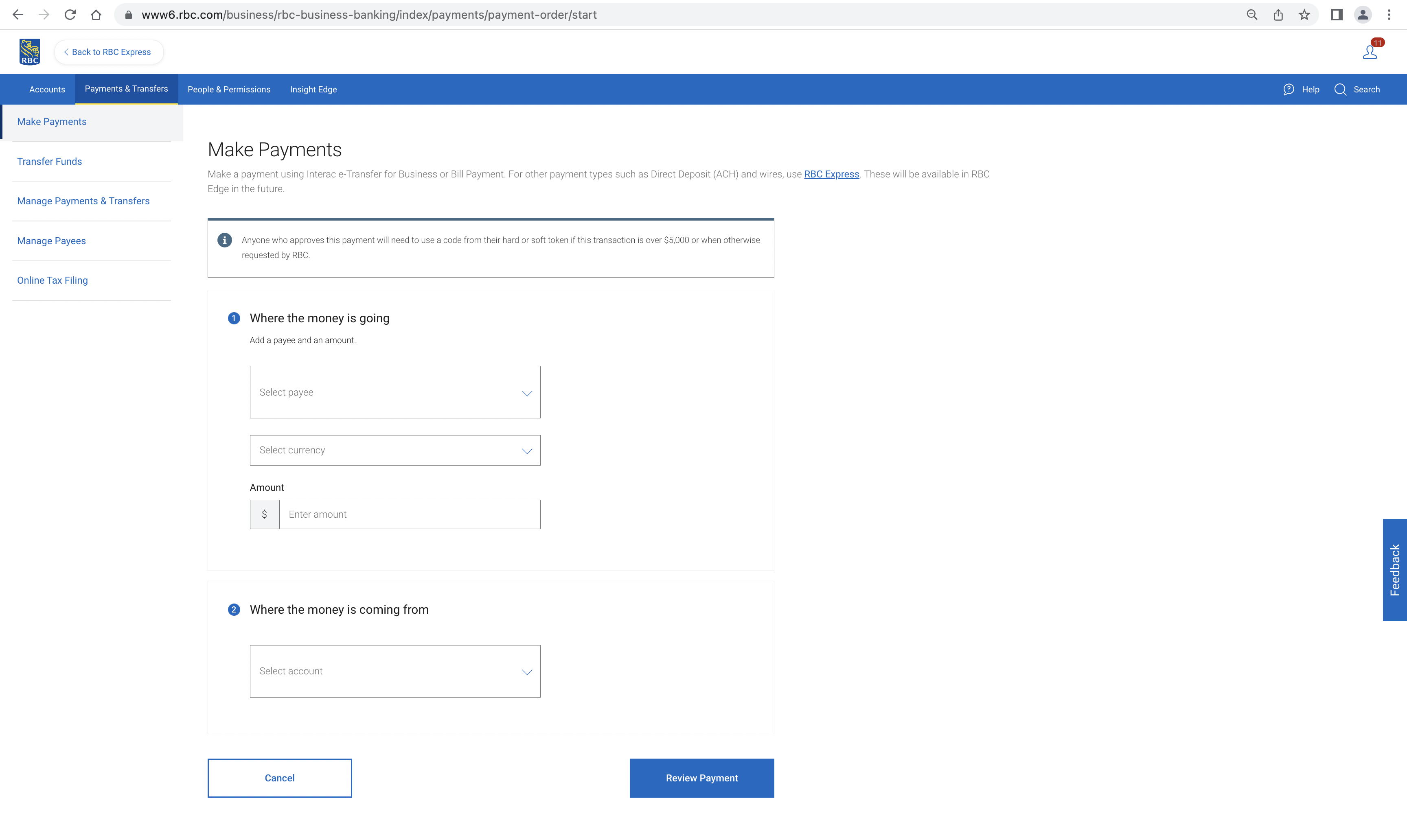
To initiate a transfer, go to Transfer Funds under Payments & Transfers in the main menu.
For more details, download the RBC Express Administration Guide(pdf opens in a new window).
You'll be informed as these additional RBC Edge features and enhancements are made available. Stay tuned!
View and export real-time account balances and statements.
- View and export real-time account balances and statements (includes foreign currency accounts)
- Search, sort and filter transactions by various criteria and export into several useful formats, including csv and Excel
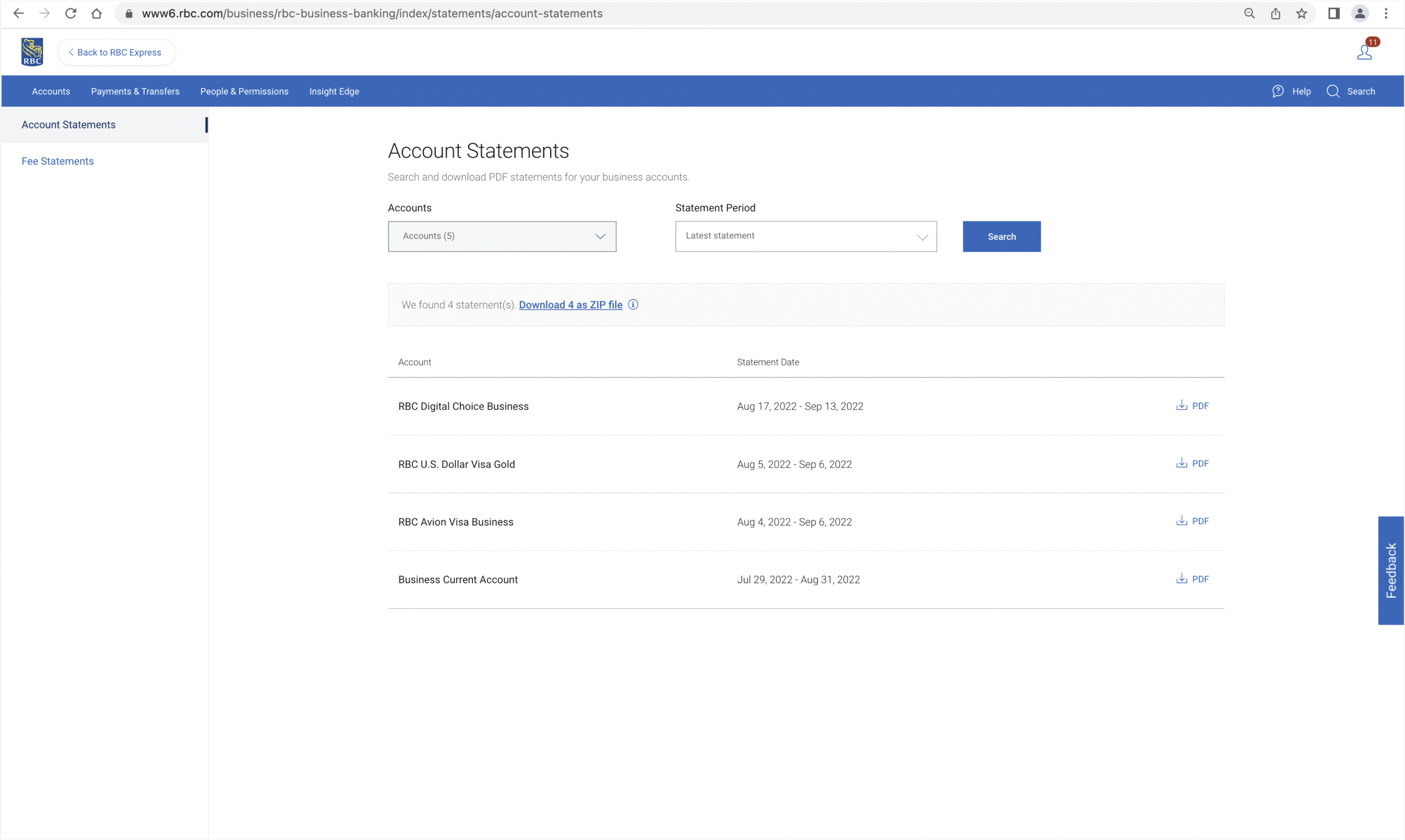
- Download up to 12 statements at one time
- Access enriched transaction details for incoming and outgoing payments to support intra-day and ongoing reconciliation activities.
- Search transactions in your business deposit accounts across multiple companies (if your business banking profile, or site, includes multiple companies and you have the required permissions).
- Fee statements provide a detailed breakdown of charges applied to your business — such as transaction fees, service charges, and other account-related costs. They can be downloaded in PDF or CSV format.
- For most incoming and outgoing wire transactions, you can now click into the “Description” column to view detailed remittance information.
- Your transaction results view has become more compact, allowing you to view more transactions on screen and use less paper while printing.
- Gain better visibility into your investment-related information with enhanced investment details.
You'll be informed as these additional RBC Edge features and enhancements are made available. Stay tuned!
Resource Centre
Here is how to access helpful how-to videos for RBC Edge features


Login to RBC Edge/Express


Click the Help icon on the top-right corner


Click on “Resource Centre” tile
We’re Listening
Your feedback helps us know what is working well and where we can improve.
Share your feedback:
- Within the platform
- Enrol in the Business Voice Panel
- With your Relationship Manager

Stay Informed
We will keep you up to date on the latest features and improvements we have introduced.
How to stay current:
- Visit the What’s New section on your RBC Edge home page when you log in to your digital banking platform
- Take note of service alerts
- Look out for communications from your Relationship Manager
- Watch for the RBC Edge quarterly newsletter in your inbox
Frequently Asked Questions
Please see our responses to some of the most frequently asked questions about our journey to transform your digital banking experience:
Streamlined Account View
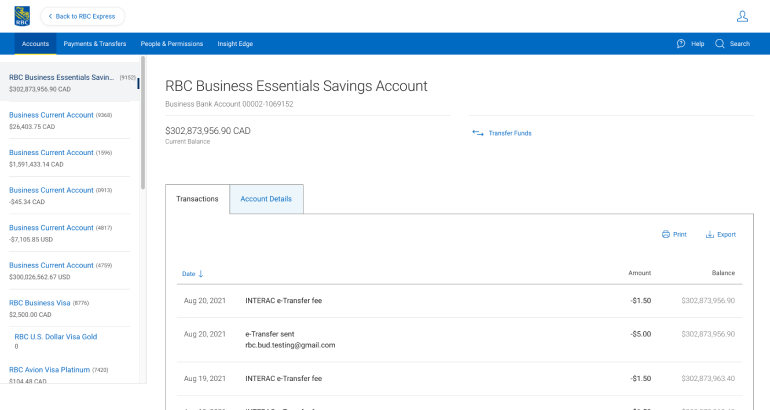
See all your account balances at a glance.
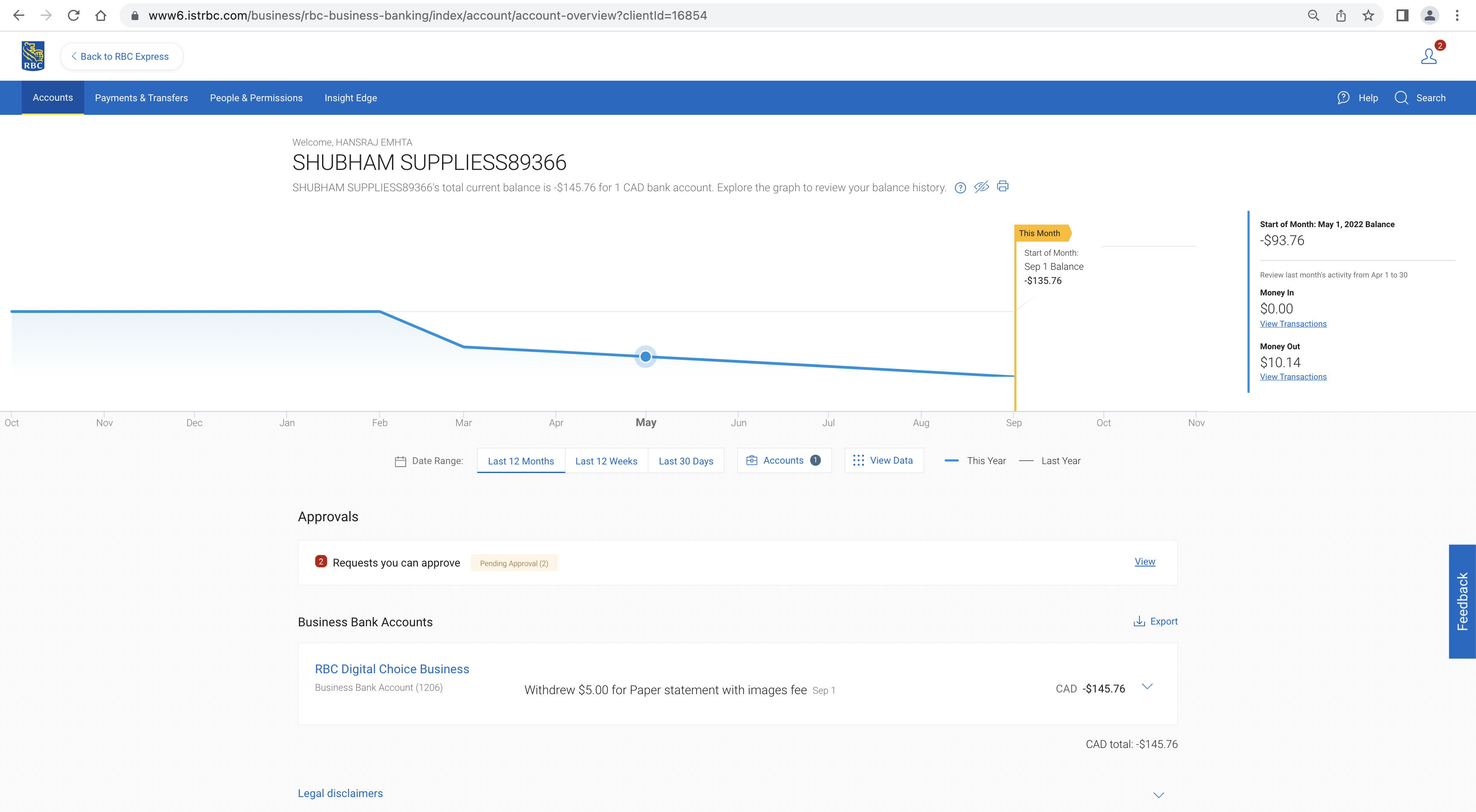
Interactive Cash Flow Chart:
Instantly review year over year changes in cash flow on all accounts or select one account with ability to view historical balances from 30 days to one year.
Download Multiple Statements at Once
Download all statements in a single zip file and export up to 7 years of transaction history and account balances.
At-a-Glance Business Insights
Gain clearer insight into your cash flow without the need to download reports.
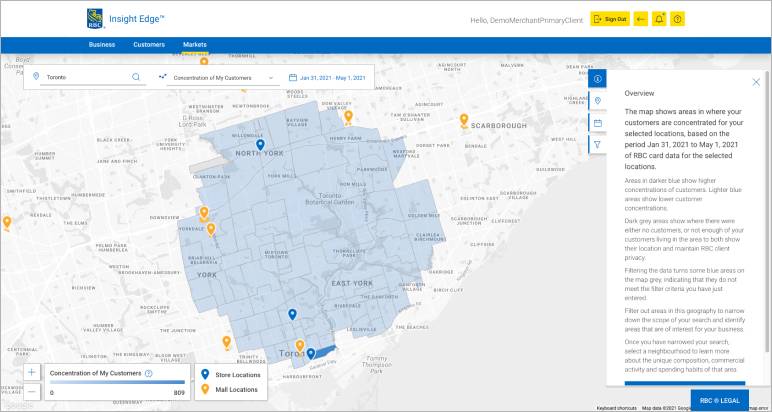
Payments
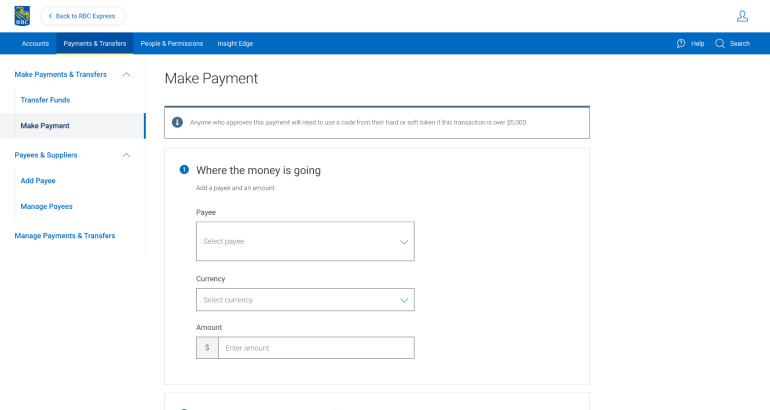
Easily add and manage payees, pay your credit card bills and make and cancel bill payments online. Plus, see all the details of the transaction including where it is in the approval process.
Interac e-Transfer® for Business
Exclusive to RBC Edge! Get transaction limits up to $25,000 per transaction and receive additional information with each payment (similar to an invoice) for greater context and less manual investigation for easier reconciliation.
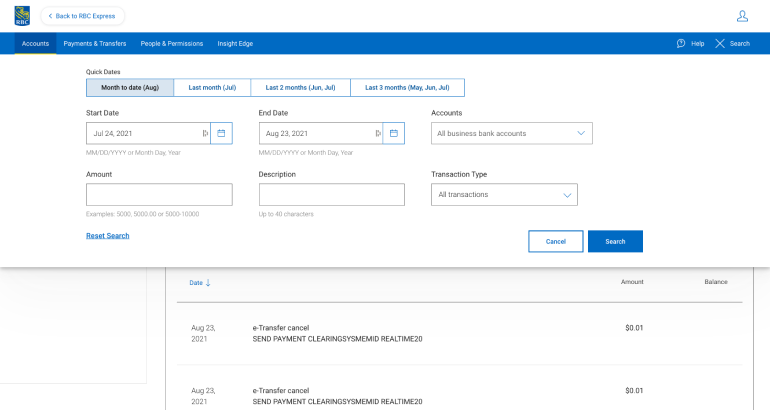
All-in-One Search
Search transactions across multiple accounts from a single search bar, quickly and intuitively.
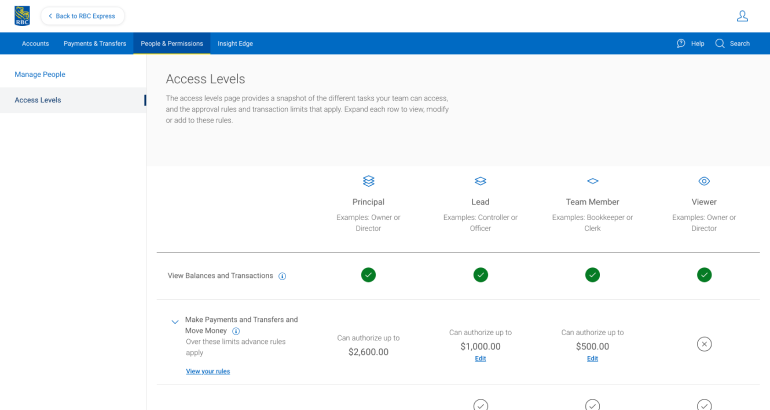
Simple People and Permission Set Up
View people and their permission details for your business. Plus, amend dollar amounts, user rules and account access.
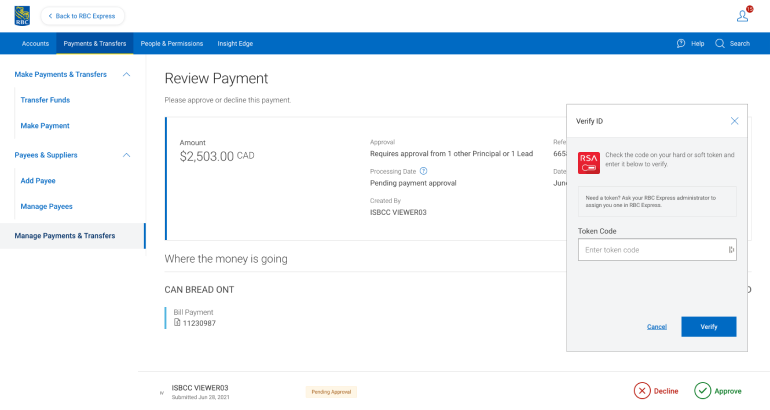
Centralized Approvals Screen
Receive email notifications when you are required to review/approve a transaction and find all your approvals conveniently located in one place.
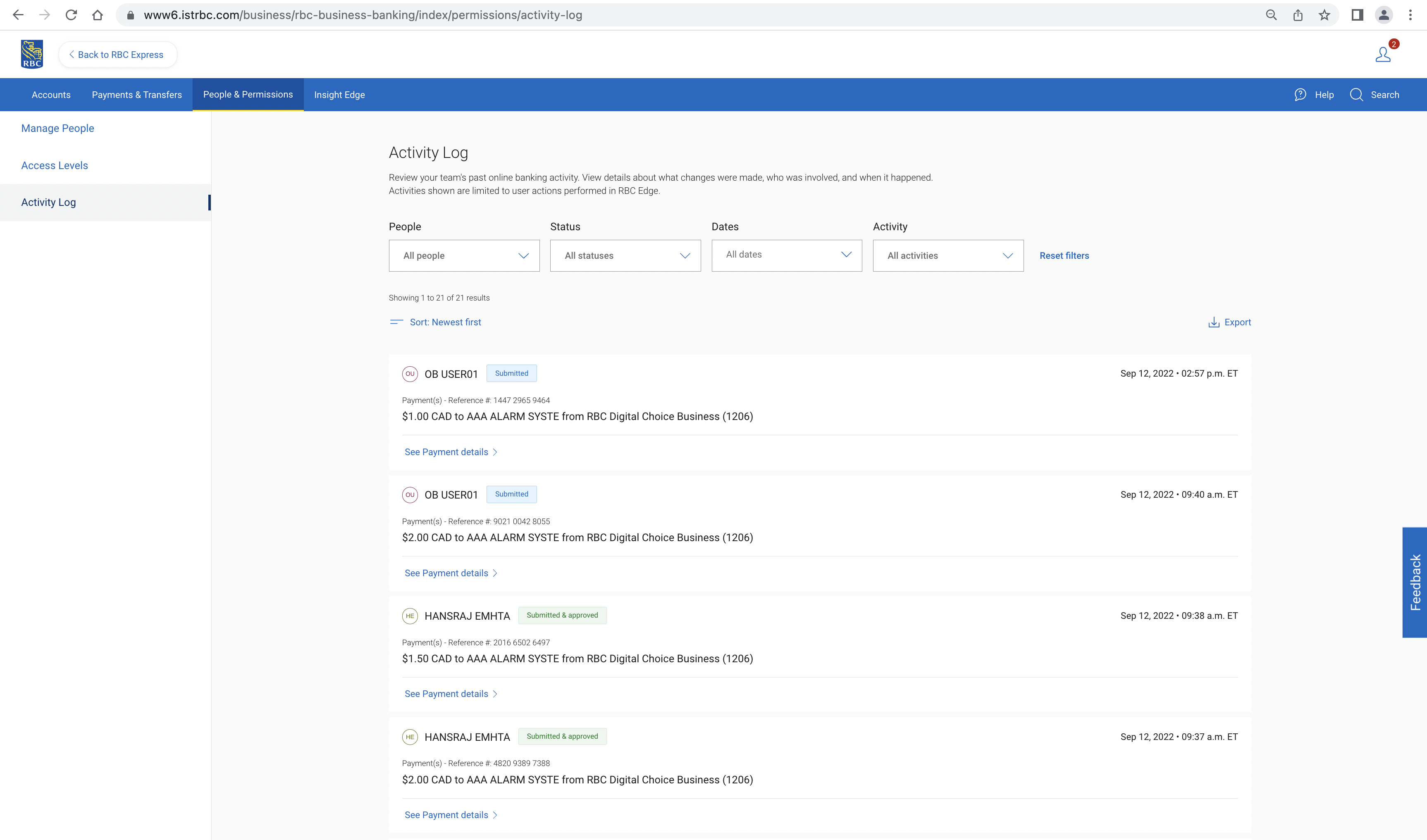
Activity Log
Find and review key activities your employees are performing – searchable by date, user, transaction type, dollar amount and more to enhance your security and control.
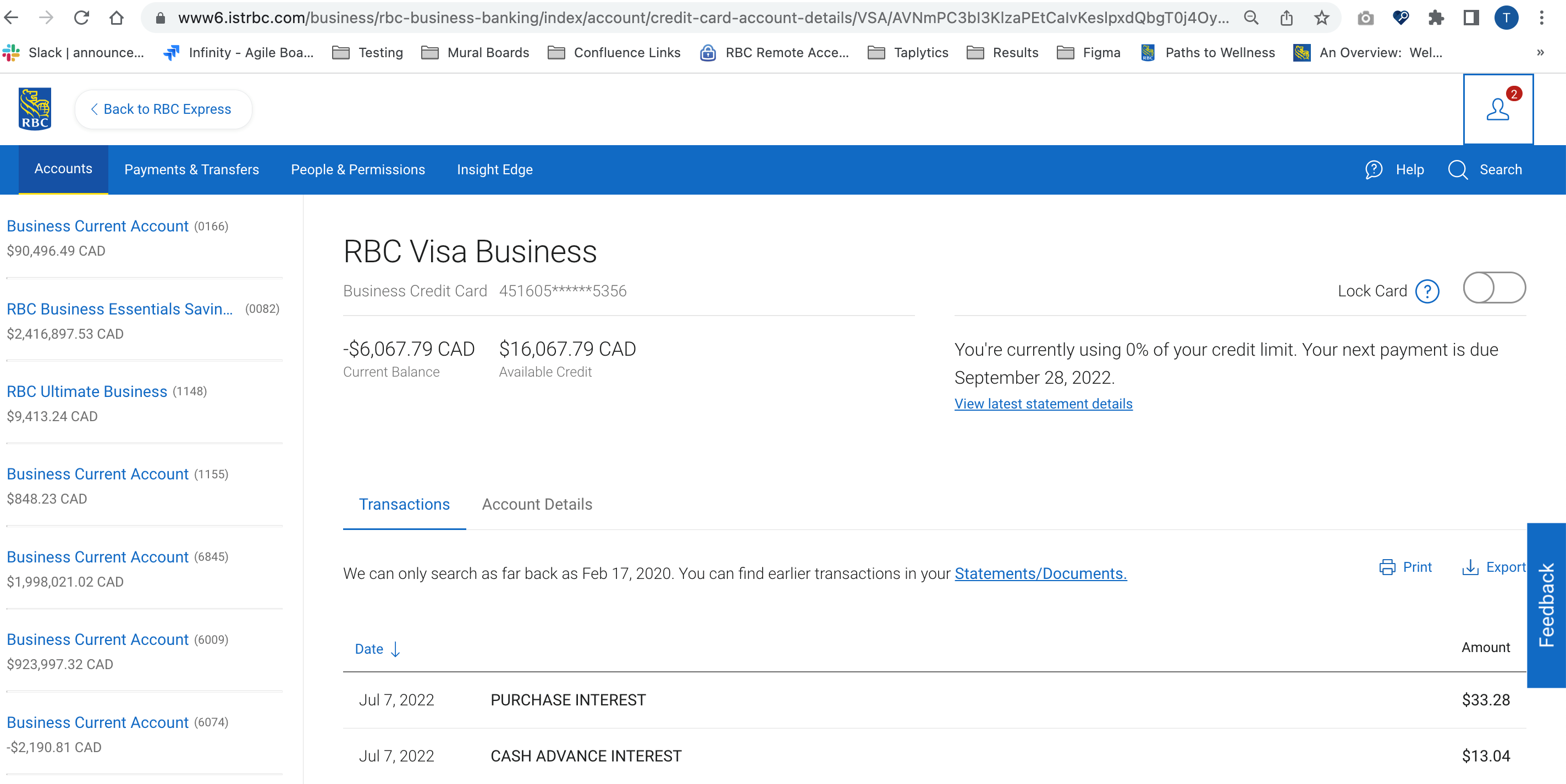
Card LOCK / UNLOCK
Whether you or an employee misplaces a credit card, you can simply lock the card in RBC Edge. This eliminates the worry of your card being misused and the hassle of cancelling it. Unlocking is just as easy.
Streamlined Account View
See all your account balances at a glance.
Interactive Cash Flow Chart:
Instantly review year over year changes in cash flow on all accounts or select one account with ability to view historical balances from 30 days to one year.
Download Multiple Statements at Once
Download all statements in a single zip file and export up to 7 years of transaction history and account balances.
At-a-Glance Business Insights
Gain clearer insight into your cash flow without the need to download reports.
Payments
Easily add and manage payees, pay your credit card bills and make and cancel bill payments online. Plus, see all the details of the transaction including where it is in the approval process.
Interac e-Transfer® for Business
Exclusive to RBC Edge! Get transaction limits up to $25,000 per transaction and receive additional information with each payment (similar to an invoice) for greater context and less manual investigation for easier reconciliation.
All-in-One Search
Search transactions across multiple accounts from a single search bar, quickly and intuitively.
Simple People and Permission Set Up
View people and their permission details for your business. Plus, amend dollar amounts, user rules and account access.
Centralized Approvals Screen
Receive email notifications when you are required to review/approve a transaction and find all your approvals conveniently located in one place.
Activity Log
Find and review key activities your employees are performing – searchable by date, user, transaction type, dollar amount and more to enhance your security and control.
Card LOCK / UNLOCK
Whether you or an employee misplaces a credit card, you can simply lock the card in RBC Edge. This eliminates the worry of your card being misused and the hassle of cancelling it. Unlocking is just as easy.