


My Credit Card Page
How to Get the Most from Your RBC Credit Card
Choose My Card

How do I...


Documentation
View another card?
Reward Yourself

Discover all our partners
Earn Avion® points that you can use toward travel, merchandise, gift cards or RBC Financial Rewards. Book travel using our online booking tool and enjoy the convenience of no blackout periods or seating restrictions.
WestJet Rewards
It’s easy to redeem – simply use your WestJet points like cash toward all or part of your next WestJet flight or vacation package7
Discover all our partners
Earn Avion® points that you can use toward travel, merchandise, gift cards or RBC Financial Rewards. Book travel using our online booking tool and enjoy the convenience of no blackout periods or seating restrictions.
Save money and earn bonus points
Take advantage of Offers for cash savings and earn bonus Avion points on shopping, travel, and dining when you use your eligible RBC Royal Bank client card or credit card.
Instant Fuel Savings and More of the Points You Love
Pay with any of your linked RBC credit or debit cards to instantly save 3¢/L on fuel▲ and earn points faster at Petro-Canada§. You can even use the same linked RBC cards to redeem Petro-Points.
Top Credit Card FAQs
If you'll be travelling soon and plan to use your credit card or client card, you no longer need to tell us you’ll be away from home. We have industry-leading fraud detection systems that protect you and your accounts from suspicious or unauthorized transactions. Just make sure we have your up-to-date contact information so we can reach you if necessary. To view or update your contact information, sign in to Online Banking and select Profile and Preferences from the Banking tab.
When you make a transaction at a chip-enabled terminal with your RBC Chip and PIN credit card, you're in control. The process is quick and easy and your card should never leave your sight:
- Rather than swiping your card, it will be inserted into the terminal and left there for the entire transaction. Removing the card will terminate the transaction.
- You will follow the prompts on the screen and enter your PIN instead of verifying the transaction with your signature.
- When the transaction is complete, you will remove your card when prompted and wait for the receipt.
If the store or restaurant does not yet have a chip-enabled terminal, your card will be swiped and you will sign the receipt as you do today.
We are all concerned about privacy and security issues including identity theft and fraud. RBC is committed to protecting you, but at the same time, you face decisions every day about what personal information you divulge and how you conduct yourself online. Find out what steps you can take to protect yourself and keep your information secure.
Authorized Transactions are those that still need to be settled by a retailer or service provider. Most transactions stay authorized for 3-5 days. When a retailer or service provider finishes the work on their end, the transaction will move to Posted Transactions.
Posted Transactions are 100% complete. We’ve paid the retailer or service provider and charged the transaction to your credit card.
Sometimes you’ll see an Authorized Transaction that doesn’t match the final amount of your purchase. Don’t worry. Some businesses (like gas stations and hotels) ask us to pre-authorize an amount before you’ve finished your purchase. Once we settle the charge, you’ll see the actual amount you spent in your Posted Transactions.
If you do see an item in your Posted Transactions that isn’t what you expected, contact us at 1-800-769-2512. We’ll be happy to go through it with you.
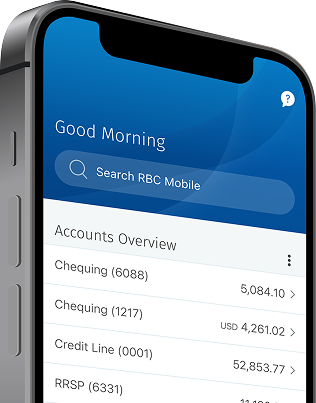
Manage Your Credit Card With The App
The RBC Mobile app gives you personalized tools and insights so you can save, spend and manage your money with ease.
Already a client? Get the app now:


Or text “RBC” to 722722 and we’ll send you the link.


4.8/5
211K Ratings on the Apple App Store
Let us help you get started.
Ways to Bank
Manage Your Account Online, Anytime
Check your balances, pay bills, send money and more - whenever you need to.
Bank Anywhere
Take care of your banking from wherever you are, anytime you want.
Access Your Avion Points
Check your points balance and redeem rewards from your mobile device or online.
Choose your card
There is no card based on the combined features that you have selected.