

TLDR
-
Cyber crime is a growing problem around the world, and seniors are frequent targets. Learning ways to safeguard your information can help keep your money and information safe.
-
Smart banking behaviours – like setting up Autodeposit and 2-factor authentication – can add meaningful protection to your money and financial information.
-
Phone, text, and email scams are common ways fraudsters try to trick seniors into giving up personal or financial details.
-
Always remain vigilant online. Create strong passwords, update your smartphone often, and shop only from reputable online stores.
With cyber crime rising around the globe, it’s more important than ever to stay informed about how to protect yourself online – and if you’re supporting an aging parent or loved one, how to help them stay safe too. Seniors are often targeted by cyber criminals because of the perception that they have accessible savings, more free time, greater trust in others, and lower digital fluency.
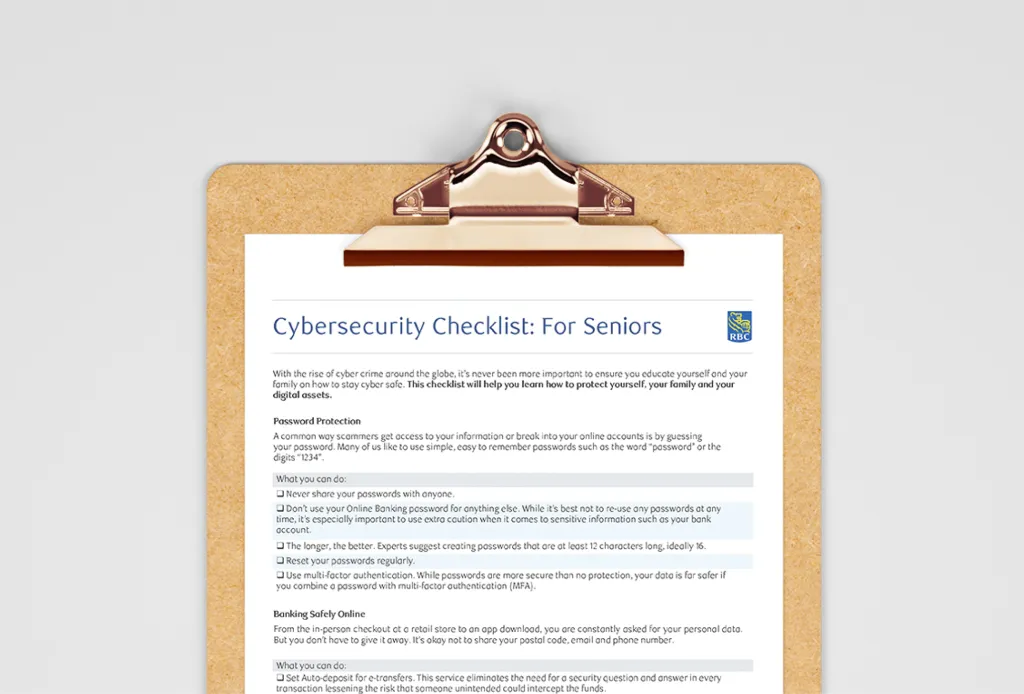
So how can you stay protected – or help protect someone you care about? Start by learning about the latest cyber scams targeting seniors and use this easy-to-follow cyber security checklist for seniors to safeguard your personal information, your finances, and your digital life.
Visit the RBC Senior Resource Centre for more helpful tips and resources, and read our complete guide on how to protect seniors from financial fraud.
Password Protection
A common way scammers gain access to your information or break into your online accounts is by guessing your password. Many of us like to use simple, easy-to-remember passwords such as the word “password” or the digits “1234.”
What you can do:
-
The longer, the better. Experts suggest creating passwords that are at least 12 characters long, ideally 16.
-
Use multi-factor authentication (MFA). While passwords are more secure than no protection, your data is far safer if you combine a password with MFA.
-
Reset your passwords regularly.
-
Never share your passwords with anyone.
-
Don’t use your online banking password for anything else. While it’s best not to reuse any passwords at any time, it’s especially important to use extra caution when it comes to sensitive information such as your bank account.
Banking Safely Online
Being vigilant about your online security is essential to guarding against cyber criminals. And, while RBC is committed to keeping your financial information safe and secure, there are simple steps you can take to proactively protect yourself.
What you can do:
-
Set up Autodeposit for e-Transfers. This service eliminates the need for a security question and answer in every transaction, lessening the risk that someone unintended could intercept the funds.
-
Enable 2-factor authentication on your RBC banking app.
-
Review your bank account statements regularly; if you see unknown purchases, that could be a sign that your identity has been stolen.
-
Immediately report lost or stolen credit or debit cards.
-
Never provide confidential information or sign-in IDs or passwords when responding to an unsolicited email, text message, or phone call.
-
Avoid acting out of a sense of urgency or emotion.
-
Turn on Account Alerts to monitor unusual transaction activity.
Email Scams
Email scams are very common online scams where an email is sent, attempting to trick the recipient into giving up personal, business, or financial information. Typically, a phishing email will explain an urgent situation (“your Bank Account has been suspended”) with a time limit to act (“you have 24 hours to verify your account”) and a link to click where you’ll be asked to enter your confidential information (“to fix the problem”). The fraudster then gets access to your passwords, account numbers, client base, or even your computer systems. Remember, legitimate organizations will never ask for information to be sent in this manner.
What you can do:
-
Never write personal information in an email. This includes account numbers, birthdays, social insurance numbers, and other sensitive data.
-
Don’t open attachments or click on links if you don’t know the source. If you receive an email with a suspicious attachment, simply ignore the email and delete it.
-
Keep your email address safe. Your email address is personal — avoid posting it on public forums or entering it on sites you don’t trust. And just because someone at a store asks for it doesn’t mean you have to give it out.
Phone and Text Message Scams
Have you ever received a call or text message from a number you don’t recognize asking you to do something, like provide your private or financial information? It could be a scam.
What you can do:
-
Don’t pick up if you don’t recognize the phone number.
-
Never give away personal information to someone you don’t know.
-
Beware of grandchild impersonation. This is one of the most prevalent scams around today and tricked older Canadians out of nearly $10 million last year. If anyone calls claiming to be your grandchild — especially if they’re asking you for money, a credit card, or a gift card to help with an emergency — don’t fall for it. Hang up and call your family directly.
-
Don’t click on links sent by numbers you don’t recognize.
-
Avoid acting out of a sense of urgency or emotion.
-
If the number isn’t legitimate, delete the text message from your phone.
Phone Settings
Smartphones are smart, but they’re not always secure. When it comes to keeping your smartphone secure, there are two things to consider: protecting the device from loss or theft and protecting the data you’ve stored on it.
What you can do:
-
Turn off Bluetooth when you’re not using it.
-
Don’t install – or make sure you uninstall – nosey apps or any apps you’re no longer using.
-
Turn on the “Find my Mobile” tool so you can locate missing devices and protect data.
-
Enable multi-factor authentication for the sites you visit.
Fake websites
Scammers set up fake retailer websites that look like real online retail stores in these cases. The thing is, you won’t receive the goods you paid for.
What you can do:
-
Buy from companies or individuals you know by reputation or from past experience.
-
Make sure you’re still on a reputable website when you go to check out and haven’t been redirected to a new page.
-
Be more cautious with sellers located far away or that don’t have many reviews.
-
Regularly check your credit card statements for frequent or unknown charges.
Report Fraud
If you believe your confidential information may have been stolen or obtained by a fraudulent party either online, by telephone or through any other means, call us immediately.
For general inquiries or comments regarding Privacy and Security, please also call us.
-
1-800-769-2511 (telephone banking)
-
1-800-769-2555 (online/mobile banking)
-
1-800-769-2512 (credit cards)
-
1-800-769-2535 (RBC Express online banking Client Support Centre)
This checklist is a valuable tool that can be an excellent reference as you do your shopping, banking, or socializing online. It’s a good idea to print it out and keep it by your computer so these steps and tips stay top-of-mind. It’s also worth sharing this with friends and family, so they too can learn how to stay cyber safe. Click here to print.
Remember, you don’t have to take this on alone – communicating with others as you make security changes and reaching out to someone you trust if you believe you’ve been a victim of fraud can lead to better protection and peace of mind.
It is critical that we all become more cyber aware and safeguard our online activities. Visit Be Cyber Aware for more tips and tricks.
This article is intended as general information only and is not to be relied upon as constituting legal, financial or other professional advice. A professional advisor should be consulted regarding your specific situation. Information presented is believed to be factual and up-to-date but we do not guarantee its accuracy and it should not be regarded as a complete analysis of the subjects discussed. All expressions of opinion reflect the judgment of the authors as of the date of publication and are subject to change. No endorsement of any third parties or their advice, opinions, information, products or services is expressly given or implied by Royal Bank of Canada or any of its affiliates.